
For instance, if you have a social event with a dinner and concourse show then you will want to create two segments, one called 'Dinner' and the other called 'Concourse'. That will allow you to collect the attendee registration numbers for each bucket. Or, for a 3 day event you would have 3 segments set up for each day, ie. Day 1, Day 2, Day 3.
Go to Events > Event Settings > Event Segments > Add New Segment > Name it and Save.
You may add any additional configuration details if necessary. Options include Number Pools, Classes, Class Modifiers, Groups, Class Mappings.
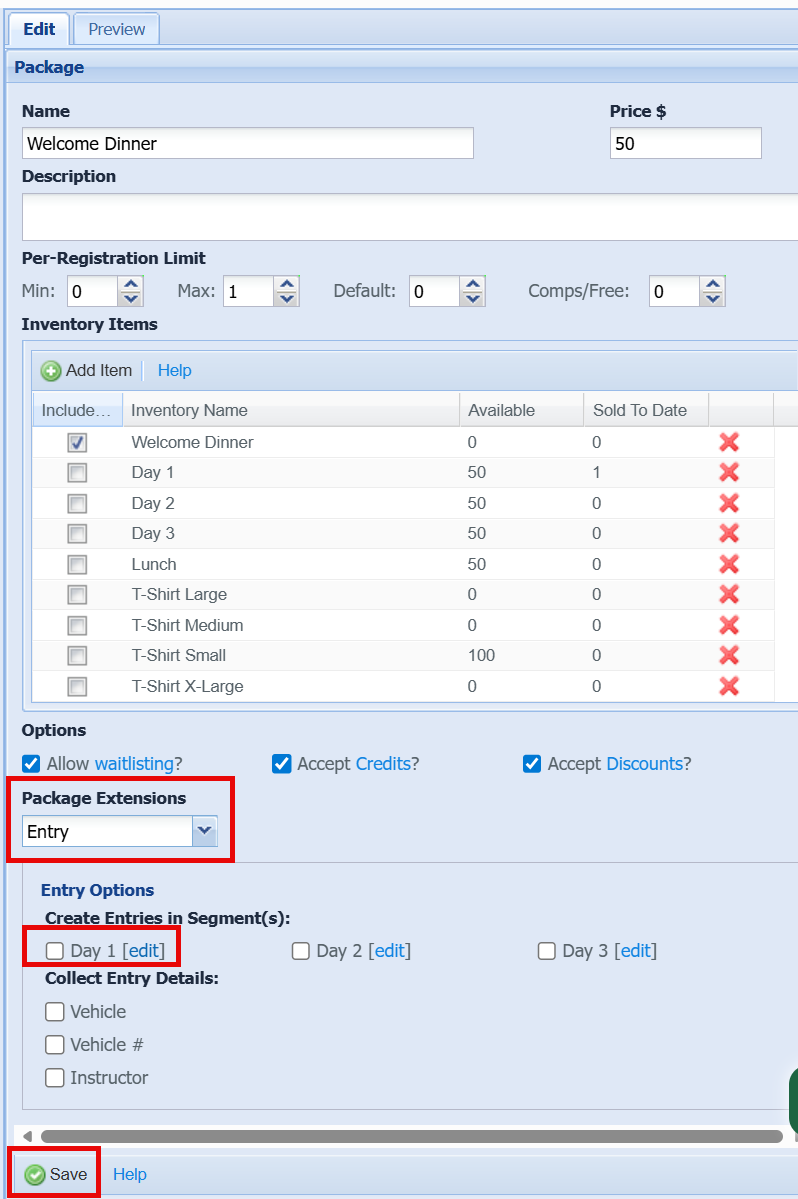
Now that your segments are set up Go to your Parts Bin to create the package name that you want to sell on your form then from Edit add the entry and segment. For this example I have 3 Segments for a 3 day event and I added a Welcome Dinner for the first day so, I want to collect this entry within that Day 1 segment for reporting.
Here is a video overview:
